One Japanese word a day, right on your home screen.
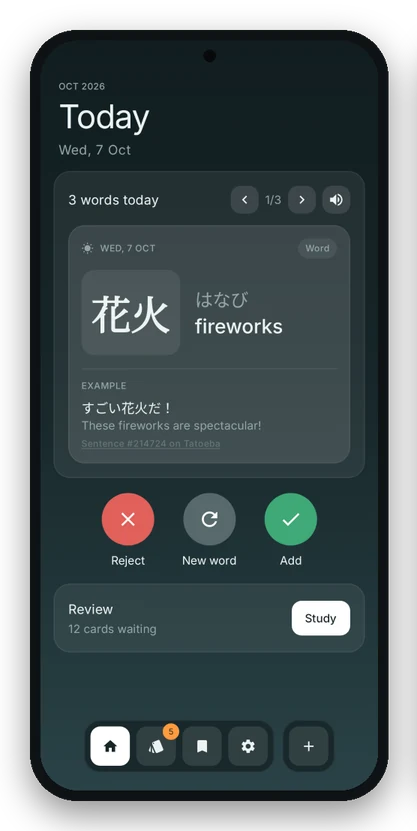
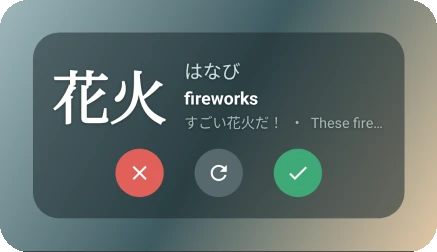
Every morning KanjiLock puts a word or kanji on your widget with the reading, the meaning and an example sentence. Keep it, toss it or get another one. The ones you keep turn into a deck you study with spaced repetition.
See it in 20 seconds
Keep a word, type the reading, draw a kanji, keep the streak going. Turn the sound on for the full thing.
Try a round
These are the four games from practice mode. In the app they pull from your own deck and never touch your reviews, here it's ten words to start you off.
Pick a theme
The app has 26, dark and light. Tap one to try it on the card. If you like it, you can make it the whole site's theme.
What's inside
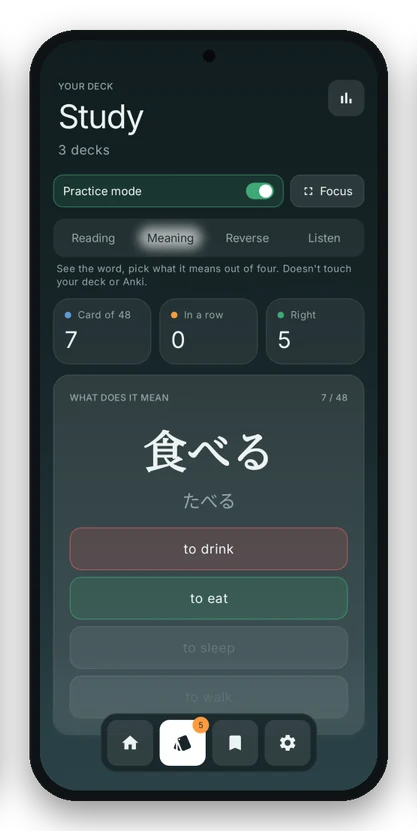
Study the words you kept
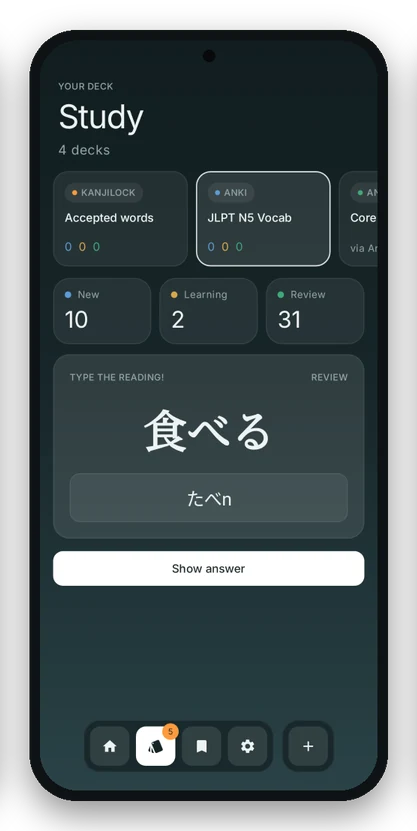
Reviews work like Anki. Type the reading, see if you got it, grade yourself, and the deck works out when you see it next. Every grade has its own sound, tap one to hear it.
Practice mode is a separate switch with four games that never touch your deck. You can play all four up in Try a round.
- Games
- reading, meaning, reverse, listen
- Focus mode
- full screen, just the card
- Decks in
- Anki .apkg, Kotoba CSV, AnkiDroid
- Decks out
- a real .apkg you can open in Anki
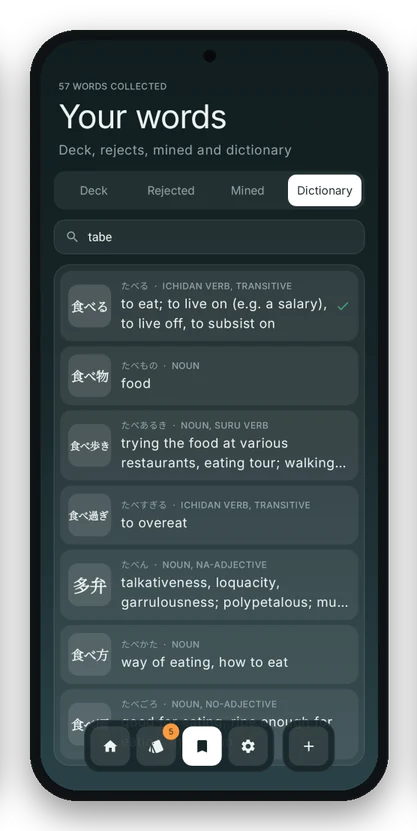
A dictionary that works offline
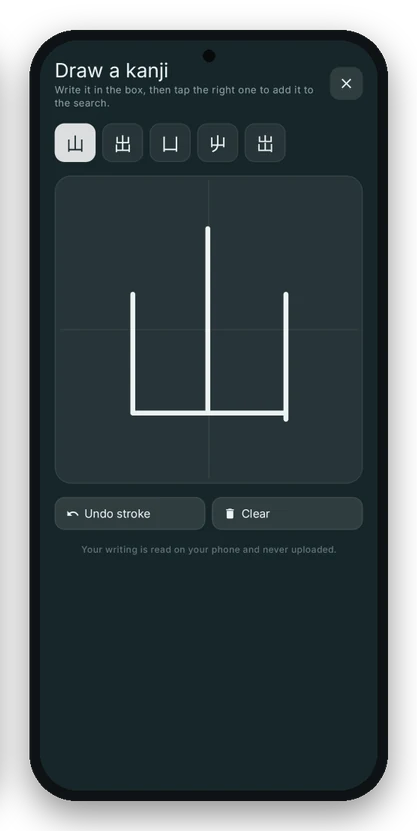
Search in romaji, kana, kanji or English. If you don't know how to type a kanji, draw it with your finger and tap the right guess. Your handwriting gets read on the phone and never uploaded.
- Words
- 218,000 from JMdict
- Examples
- sentences from Tatoeba
- Internet
- only for the handwriting model, once
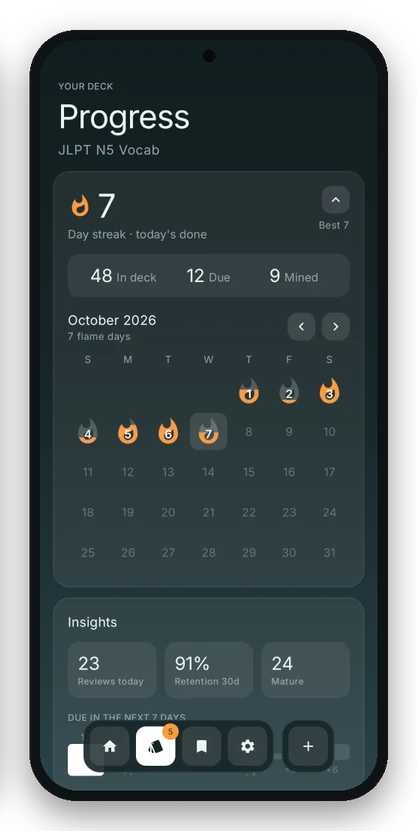
Streaks you can actually see
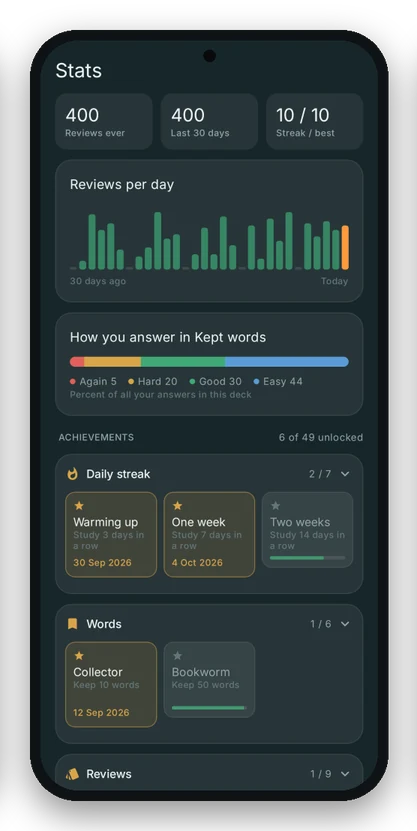
Every day you study gets a flame on the calendar. The stats page shows reviews per day, how you answer in each deck, and what's coming up this week.
- Achievements
- 49, in 8 categories
- Themes
- 26, 18 dark and 8 light
- Widgets
- word card, kanji tile, streak, cards due
- Reminders
- one for reviews, one before your streak breaks
Install it
KanjiLock is on GitHub for now, not Google Play, so Android will ask you once to allow the install.
- Download the APK Get the newest one from the releases page on your phone.
- Allow the install Open the file. If Android says it's blocked, tap Settings and turn on Allow from this source for your browser.
- Add the widget Long press your home screen, tap Widgets, find KanjiLock and drag the word card out.
- How does it update?
- When you open it, it checks GitHub and asks before installing a new version. You can turn that off in Settings.
- Where does my stuff go?
- It stays on your phone. Sync is optional and only goes to your own Google Drive. The privacy policy has the details.
- Where should I download it from?
- Only from the GitHub releases page linked here. Copies on other sites could be changed, and they won't get updates.